This demo is a real-world pattern you’ll recognise if you’ve ever had to stitch together exports from an ERP/WMS/3PL/carrier and turn them into something people can actually use.
It takes four messy operational inputs (orders, shipments, order lines, inventory) and produces two clean, reusable datasets plus a few interactive outputs. The important bit isn’t the KPIs — it’s the workflow pattern: how Omniscope deals with schema drift, mixed date formats, dodgy rows, and the usual “why did this break this week?” firefighting.
Hosted here: https://public.omniscope.me/Public/Logistics/Schema+Drift+Handling+-+Data+Prep+-+Q%26A+Insights+-+Reporting.iox/
Feel free to download it and adapt it for your use case.
What problem does this solve?
Operational data rarely arrives “nice”.
You’ll see things like:
column names changing between exports (or between 3PLs)
extra columns appearing, others disappearing
inconsistent casing (“DTC” vs “Dtc”), inconsistent IDs (“Order ID” vs “Order_Id”)
dates in three different formats in the same file
invalid rows (null quantities, zeros, negatives, missing keys)
Most teams end up with a brittle chain of transformations that works… until the next export lands slightly differently.
This demo shows how to build a workflow that:
absorbs variability instead of falling over
makes data quality issues obvious and inspectable
creates stable, reusable datasets you can trust downstream
keeps prep and outputs together (no constant exporting and rework)
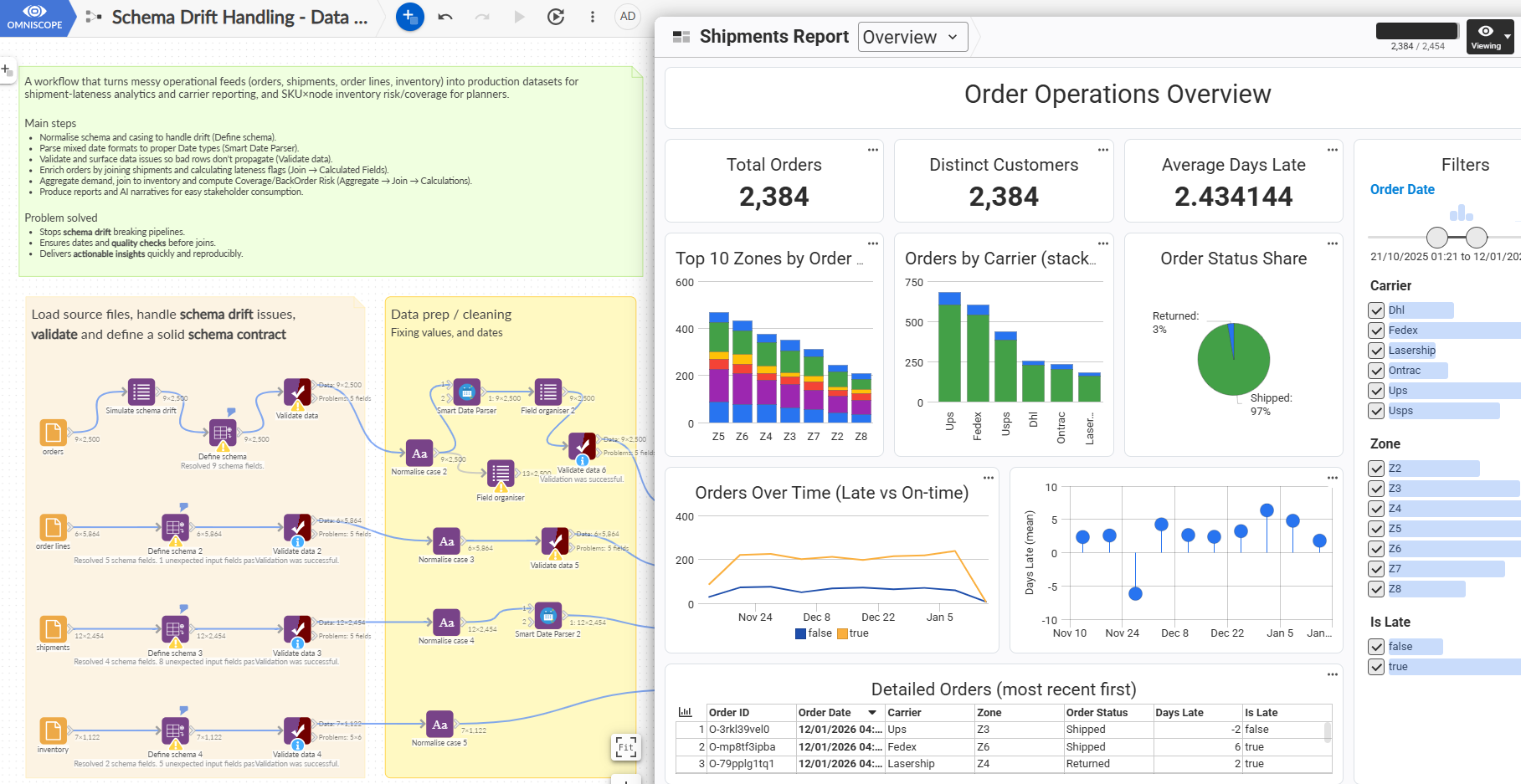
What this demo is demonstrating (in plain terms)
This project is a compact example of how Omniscope is meant to be used:
Ingest + blend multiple operational sources
Handle schema drift explicitly (so changes don’t silently break things)
Parse dates properly so downstream logic is reliable
Validate data and surface problems as a first-class output
Model and enrich visually with immediate feedback (join, transform, calculate)
Savepoints as stable “contracts” you can reuse across outputs
Interactive outputs (reports/views) connected directly to the model
(Optional) AI narrative on top of audited savepoints (repeatable, not vibes)
What’s inside the workflow (high level)
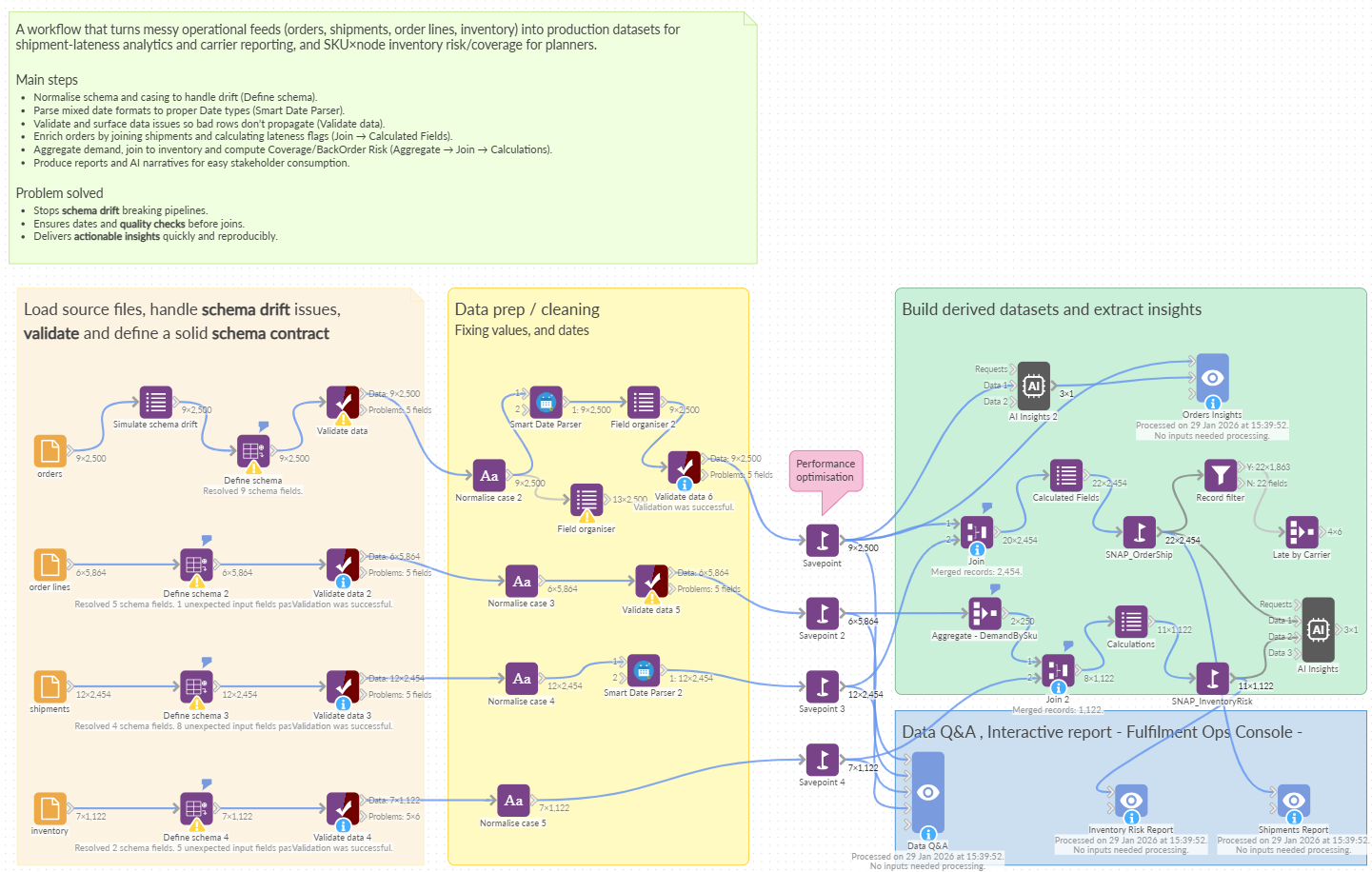
There are two main pipelines plus a handful of helper blocks (schema, normalisation, validation, savepoints).
1) Orders + Shipments pipeline (enrichment + analysis-ready output)
This side is about proving you can take messy order/shipment feeds and turn them into a dataset you can rely on.
What you’ll see:
Simulate schema drift
Deliberately changes field names (e.g.,Order IDvsOrder_Id) so you can see how the workflow behaves when the upstream shape changes.Define schema + Validate
Sets expectations and flags what doesn’t match, including “extra” fields.Normalise case
Standardises inconsistent casing in values and labels.Smart Date Parser
Converts mixed date formats into proper typed dates (this is where a lot of pipelines quietly go wrong).Join + Calculated Fields
Joins orders to shipments and adds business logic in a transparent way.SNAP_OrderShip (savepoint)
A stable, enriched dataset you can use everywhere downstream without redoing the prep.
From there the workflow creates a couple of downstream outputs (aggregate views, a report, and optional AI insight), all driven off the same savepoint.
2) Inventory + Order lines pipeline (aggregation + planning-style output)
This side shows a common pattern: start with granular lines, aggregate demand, then combine with inventory.
What you’ll see:
Normalise case + Validate on order lines
Flags dodgy rows (e.g. missing/invalid quantities) early.Aggregate – DemandBySku
Turns line-level demand into a clean “demand by SKU” dataset.Join demand to inventory + Calculations
Produces planning-style fields like coverage / availability style metrics.SNAP_InventoryRisk (savepoint)
Again: a stable dataset you can use for outputs without rework.
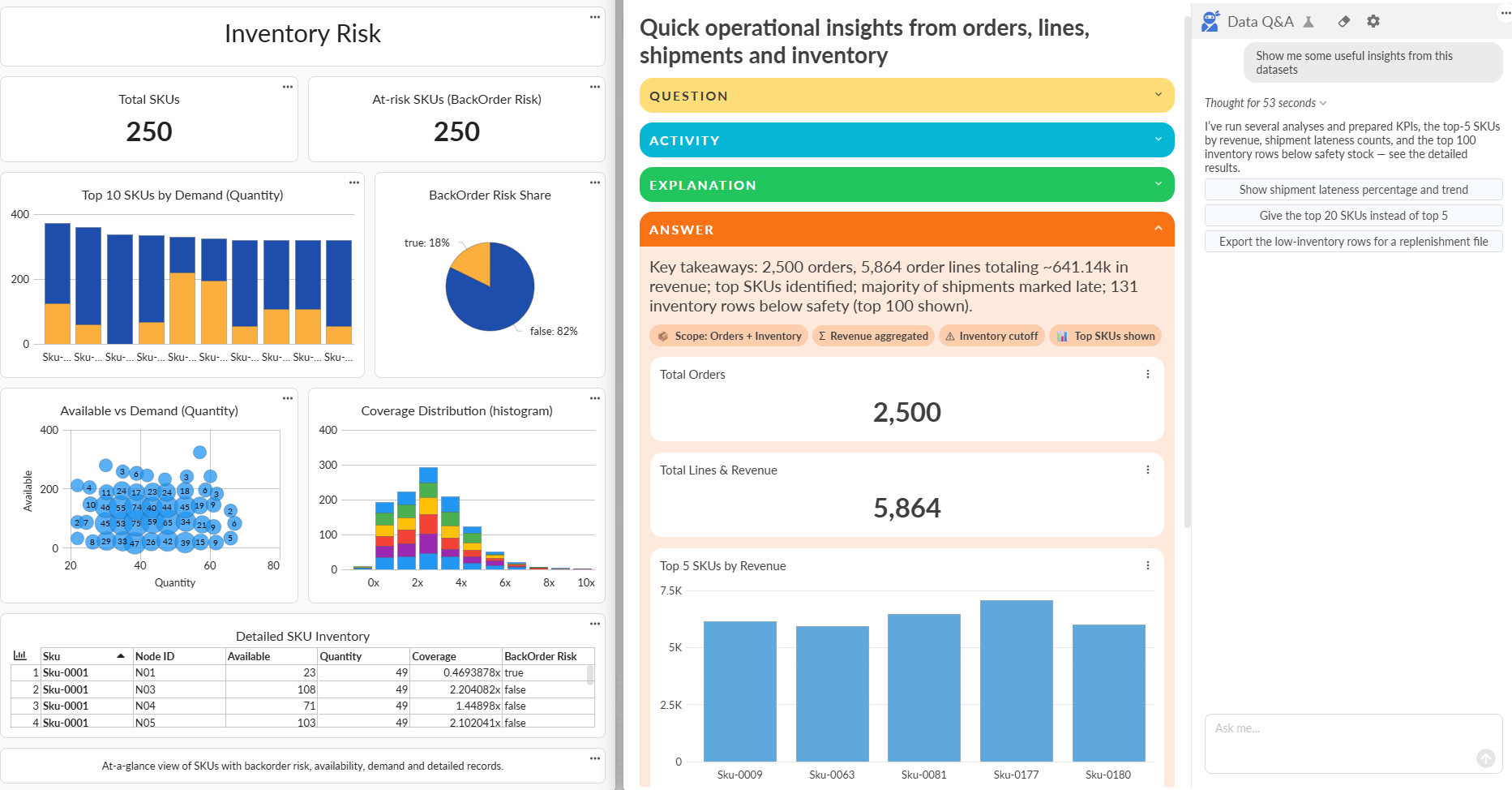
The bits that matter (why Omniscope is useful here)
Schema drift without drama
Instead of a fragile chain that breaks when a column name changes, the workflow:
makes drift visible
applies a canonical schema / normalisation step
protects downstream logic
You spend less time doing “why did it break?” and more time improving the model.
Dates you can trust
Mixed date formats are normal in exports. This demo shows a practical approach:
parse early
validate
only then join/calculate
It saves you from the classic “our lateness/ageing numbers are off” situation.
Data validation as part of the workflow
Validation blocks don’t just shout “failed” — they give you:
the rules that failed
a problems output you can inspect
a clean separation between “trusted” and “needs attention”
That’s how you build trust without hiding issues.
Savepoints as contracts
Savepoints are the difference between:
a workflow you’re scared to touch
and a workflow you can evolve safely
In this project the savepoints act like stable, reusable datasets:
for reports
for aggregates
for AI summaries
for whatever you build next
Outputs stay connected to the logic
The reports/views are driven directly from the model. That means:
no exporting to another tool just to “show it”
no mismatch between “what the dashboard says” and “what the pipeline did”
drill-down stays close to the underlying records
Who is this pattern for?
Anyone dealing with operational exports or semi-structured feeds, for example:
fulfilment & distribution teams (ERP/WMS/3PL/carriers)
finance ops (invoices, payments, reconciliations)
RevOps (CRM exports + billing + attribution)
support ops (tickets + SLAs + customer master data)
If you recognise “messy weekly exports that always change”, this is your pattern.
How to use the demo (quick tour)
If you’re evaluating or showing this to someone else, don’t walk every block. Do this instead:
Start at the schema drift + schema definition area
Point out that the workflow anticipates change.Open Smart Date Parser
Show the before/after – mixed formats → typed dates.Open a Validate block
Look at the rules and problems output so it’s obvious quality issues are handled, not hidden.Open a savepoint
This is the “clean contract” downstream work depends on.Open an output view/report
Show that the workflow produces usable outputs without leaving Omniscope.
Takeaway
This demo isn’t trying to be clever. It’s showing a practical way to run data work like an operator:
expect messy inputs
standardise and validate early
make problems visible
keep the logic inspectable
create stable savepoints
produce outputs directly from the same workflow
That’s where Omniscope earns its keep.
Was this article helpful?
That’s Great!
Thank you for your feedback
Sorry! We couldn't be helpful
Thank you for your feedback
Feedback sent
We appreciate your effort and will try to fix the article