See new core article about schema drift handling here https://help.visokio.com/support/solutions/articles/42000116052-taming-schema-drift-in-omniscope
-----
The problem: schema in your data changes and your workflow breaks
Operational and third-party data sources frequently change column names, casing, separators, and formats over time. Examples include OrderID becoming order id, or dates switching format between exports. In traditional workflows, these changes break joins, formulas, and reports, forcing users to constantly repair pipelines.
While Omniscope Evo provides powerful low-level tools (Field Organiser, formulas, type parsing), managing schema drift with these blocks increases complexity, block count, and cognitive load — especially compared to tools that offer schema-aware transformations.
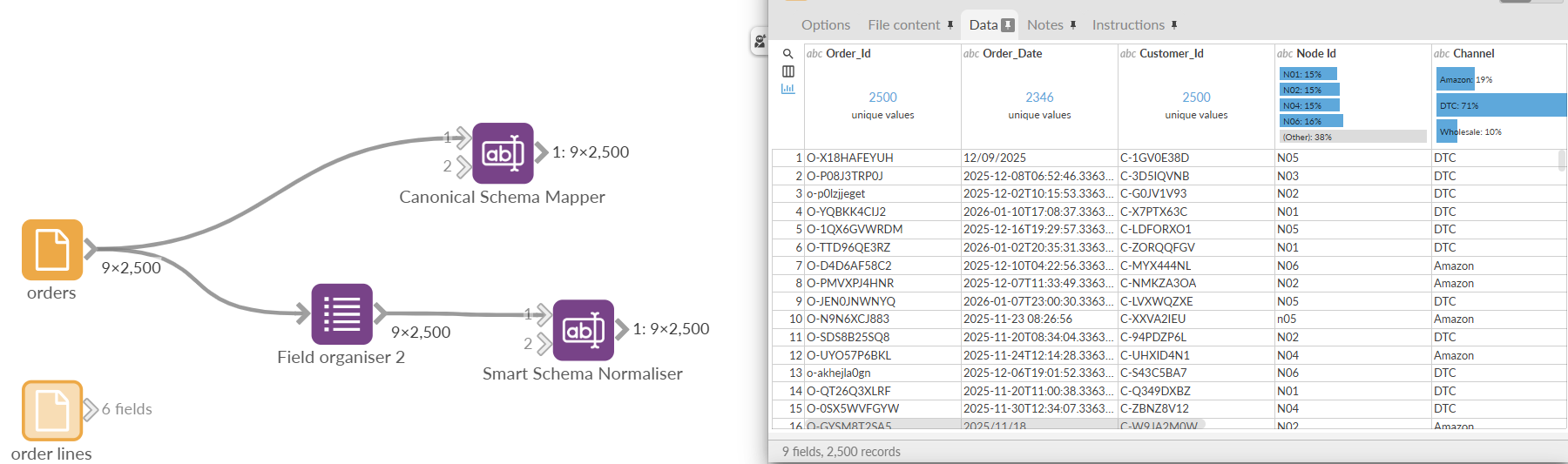
The solution: a two-layer schema strategy
Omniscope addresses this by separating schema hygiene from schema intent, using two complementary blocks:
Smart Schema Normaliser
This block automatically cleans and stabilises schemas without user input. It standardises field names, merges duplicates, infers data types, and preserves all fields. It is ideal as an early-stage “buffer” against messy or inconsistent inputs.Canonical Schema Mapper
This block defines a canonical business schema using explicit rules. It maps aliases to canonical fields, enforces data types, fills defaults, and guarantees a stable output contract suitable for production workflows.
Together, these blocks transform schema drift from a workflow-breaking problem into a controlled, transparent, and maintainable process.
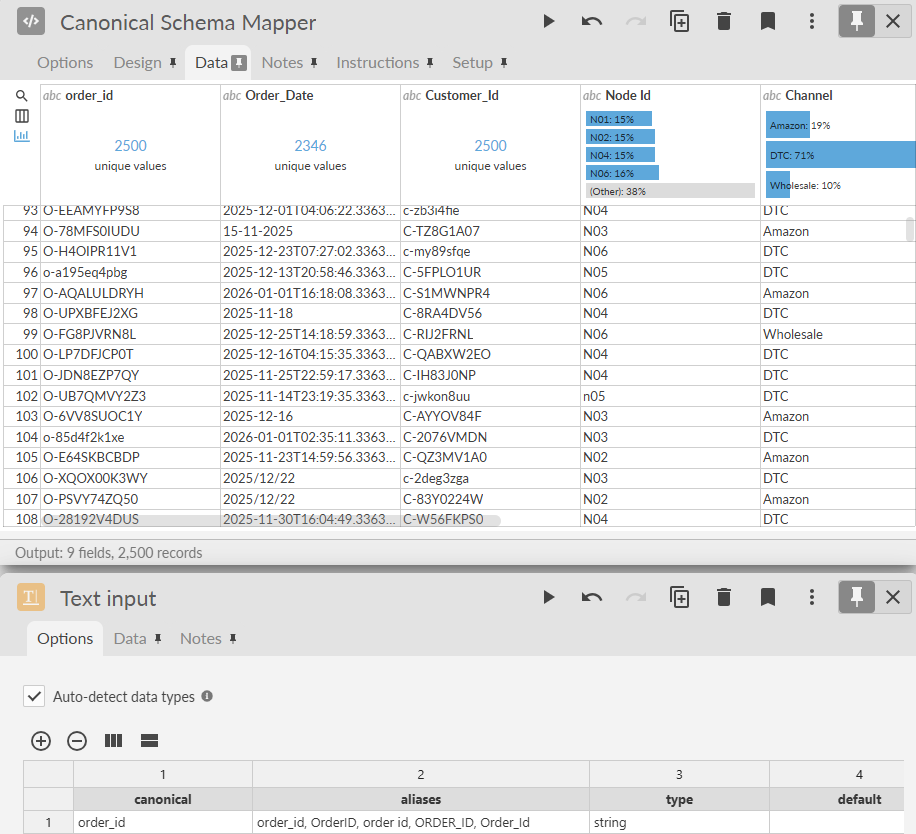
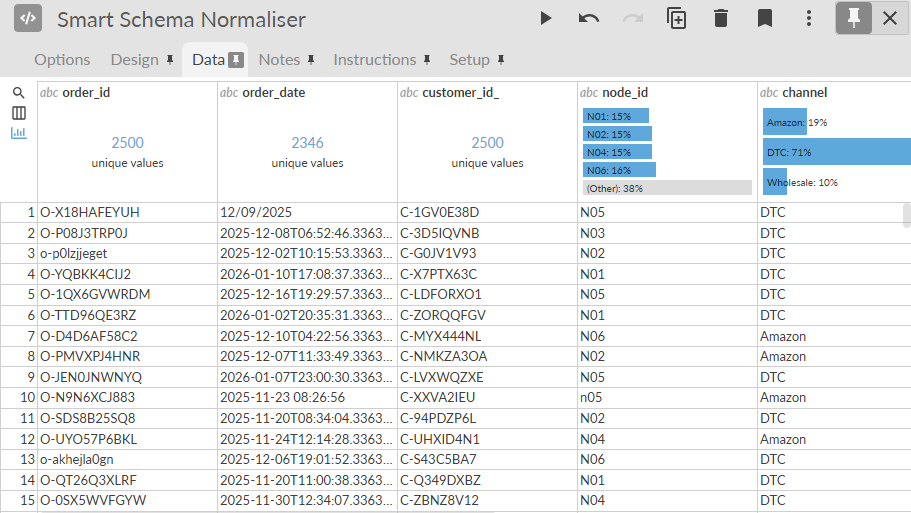
When to use each block
Use Smart Schema Normaliser when:
Working with new or unpredictable data sources
Ingesting third-party or operational exports
You want automatic cleanup without defining business rules
Use Canonical Schema Mapper when:
Building production pipelines
Creating shared dashboards or automated reports
Replacing brittle tools like Parabola, Alteryx flows, or custom scripts
You need long-term schema stability across runs
Key benefits
Fewer broken workflows due to schema changes
Reduced block count and complexity
Clear separation between data cleanup and business logic
Streaming-safe, scalable for large datasets
Easier onboarding for non-technical users
Was this article helpful?
That’s Great!
Thank you for your feedback
Sorry! We couldn't be helpful
Thank you for your feedback
Feedback sent
We appreciate your effort and will try to fix the article