Overview
Omniscope supports integration with Microsoft 365 email services using Microsoft Graph and Microsoft Entra ID authentication.
This allows you to:
- Read emails from Microsoft 365 mailboxes
- Send emails using Microsoft 365.
Microsoft 365 integration was introduced in the b22436 daily build.
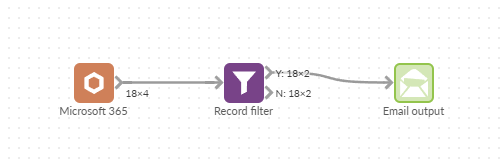
Background: Changes to Microsoft 365 Email Access
Previously if you wanted to connect to a Microsoft 365 mailbox in Omniscope you would use:
- IMAP or POP3 for reading emails
- SMTP with basic authentication for sending emails.
Microsoft has been removing basic authentication from Exchange Online and replacing it with modern authentication using:
- OAuth 2
- Microsoft Entra ID (formerly Azure AD)
- Microsoft Graph API
Because of these changes, applications must now use OAuth-based authentication rather than username/password authentication.
Omniscope implements Microsoft 365 support using app-only authentication (client credentials) with Microsoft Graph. This approach is recommended by Microsoft for server-side and automated ap[plications like Omniscope, as it does not require an interactive user login and works reliably with scheduled workflows. This integration allows you to continue working with Microsoft 365 as Microsoft moves away from basic authentication.
Microsoft Entra Setup
Before using Microsoft 365 features in Omniscope, you must register an application in Microsoft Entra ID.
The Entra application is used by Omniscope to authenticate with Microsoft Graph and obtain access tokens. A guide to setup is available here:
https://help.visokio.com/support/solutions/articles/42000116694-microsoft-365-connector-prerequisites-register-an-app-in-microsoft-entra-id
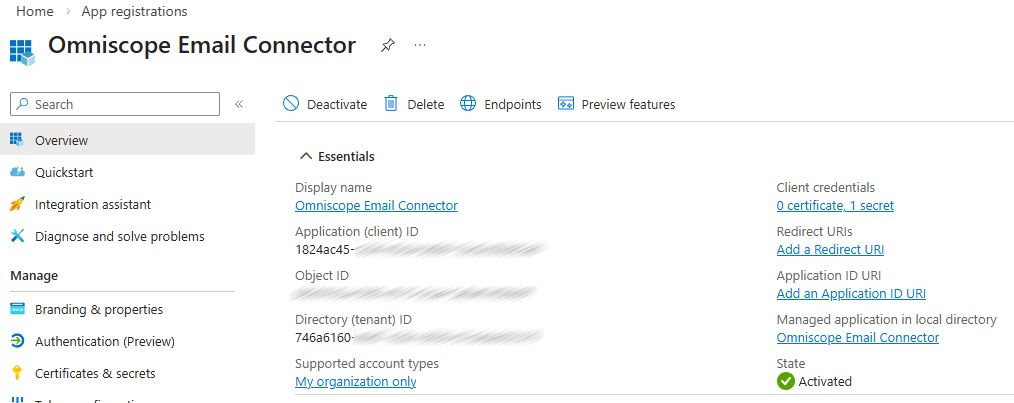
The typical setup involves:
- Registering a new application in Microsoft Entra ID
- Creating a Client Secret
- Recording the following values:
- Tenant ID
- Client ID
- Client Secret
- Granting Microsoft Graph application permissions.
Typical permissions include:
- Mail.Read for reading emails
- Mail.Send for sending emails
After adding permissions, admin consent must be granted in Entra.
By default, application permissions may allow access to mailboxes across the tenant.
Microsoft provides mechanisms to restrict which mailboxes an application can access. This configuration is performed within Microsoft 365/Exchange Online, not within Omniscope.
Microsoft documentation:
Application RBAC (recommended)
https://learn.microsoft.com/en-us/exchange/permissions-exo/application-rbac
Application Access Policies (legacy)
https://learn.microsoft.com/en-us/exchange/permissions-exo/application-access-policies
Configuration of mailbox restrictions depend on your organisation's Microsoft 365 environment and security policies.
Reading Emails using the Microsoft 365 Connector
To read emails from Microsoft 365, use the Microsoft 365 connector block:
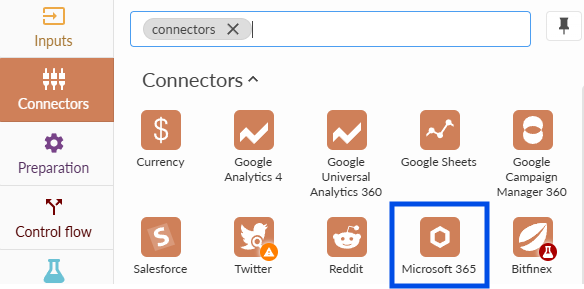
Existing workflows that read Microsoft 365 emails using IMAP or POP3 should be updated to use the Microsoft 365 connector instead.
The original Email input block remains available and continues to support IMAP and POP3 via basic authentication.
A separate Microsoft 365 connector was implemented to allow future expansion to other Microsoft 365 services.
To configure the connector:
- Enter the following connection settings:
- Tenant ID
- Cliient ID
- Client Secret
- Click Confirm to validate the connection
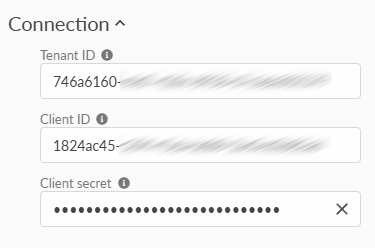
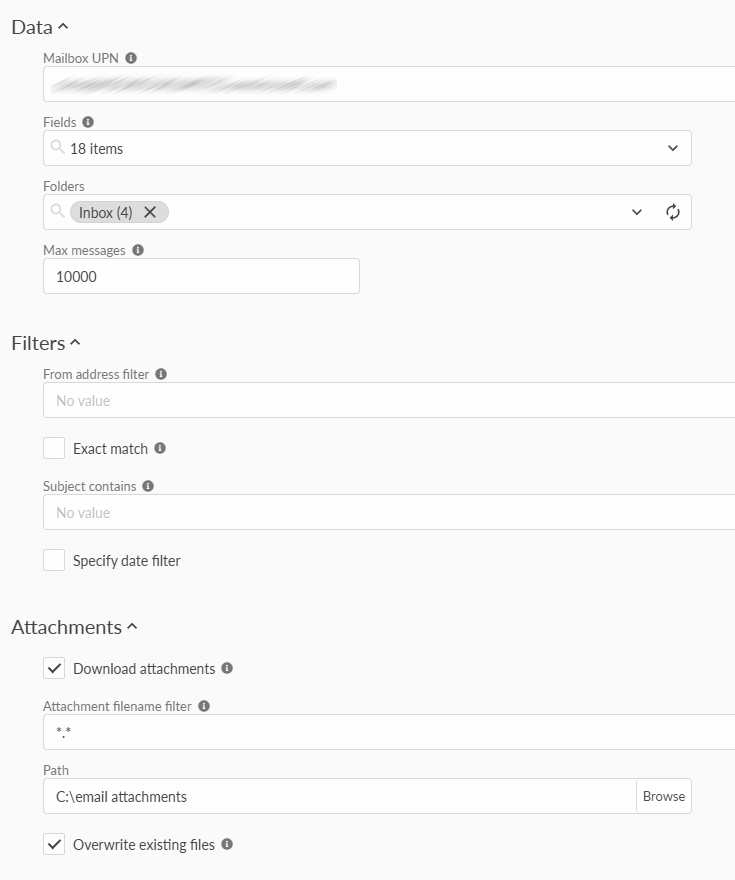
After confirming the connection you can configure the Mail service. Configuration options include:
- Mailbox UPN - the mailbox to read from
- Folder selection - Inbox is selected by default
- Fields to return
- Maximum number of messages
- Filters:
- Date
- Sender address
- Subject
- Attachment options - attachments can optionally be downloaded to a specified folder with an optional filename filter and overwrite options.
Sending Emails using Microsoft 365
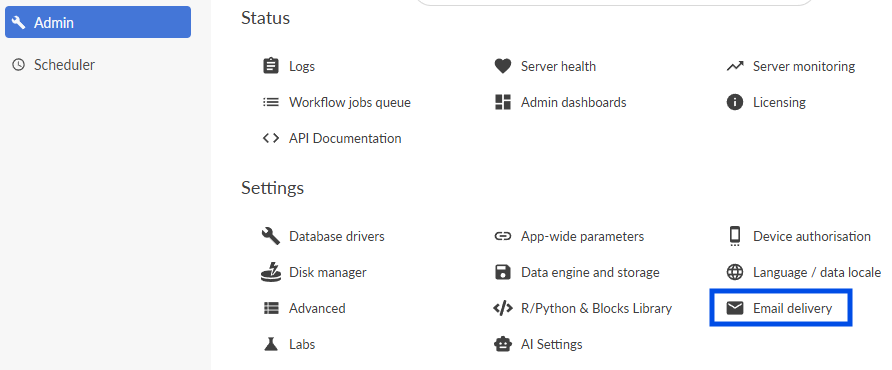
Email sending in workflows is configured in the Admin app.
Navigate to:
Admin -> Settings -> Email delivery
A new option allows you to select the Mail server type:
- SMTP
- Microsoft 365
The SMTP configuration remains unchanged. When Microsoft 365 is selected the following settings are required:
- Tenant ID
- Client ID
- Client Secret
- Mailbox UPN
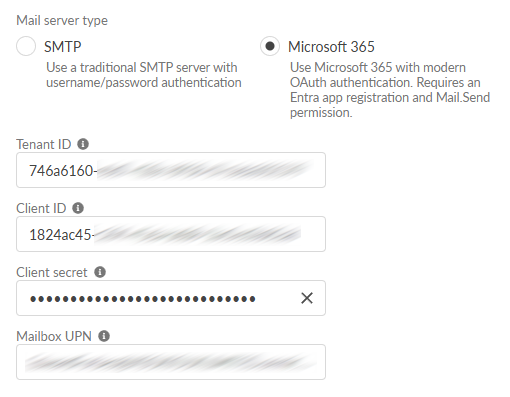
Omniscope uses these settings to authenticate with Microsoft Graph and send email using the configured mailbox.
All workflow blocks that send email automatically use the settings configured in Email delivery. These include:
- Email output block
- Validate data block
- Batch output block
When Microsoft 365 is selected in Email delivery, these blocks automatically send email through Microsoft Graph. Existing workflows do not require modification.
Sending Emails from the Scheduler
The Omniscope Scheduler Send email action has been updated to support Microsoft 365 email delivery.
Previously, the Send email action required its own SMTP configuration (Mail server host/port etc.). These settings were configured directly in the action and did not use the mail server settings defined in the Admin app.
A new option is now available in the Send email action: Use Admin mail server settings.
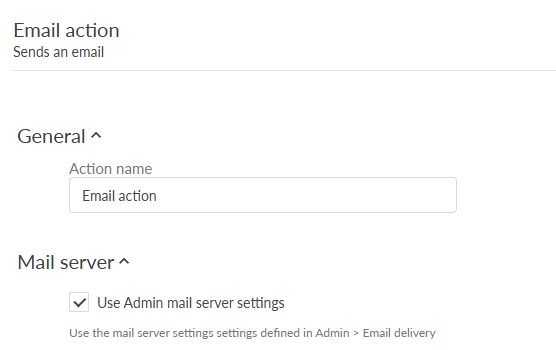
When this option is enabled the Scheduler uses the email delivery settings configured in Admin > Settings > Email delivery. Email can then be sent using either SMTP or Microsoft 365, depending on the configured mail server type.
This allows scheduler emails to use the same email delivery configuration as workflows while maintaining backwards compatibility with existing Scheduler tasks.
Future Microsoft 365 Services
The Microsoft 365 connector has been designed to support additional Microsoft services in future releases. Potential services include:
- Contacts
- Calendar
- OneDrive
- SharePoint
Future services will be added based on demand. If you would like us to add support for these services, or if you have any questions or feedback on Email support please get in touch with us.
Was this article helpful?
That’s Great!
Thank you for your feedback
Sorry! We couldn't be helpful
Thank you for your feedback
Feedback sent
We appreciate your effort and will try to fix the article